
We use either DocuSign or XeroSign to request your electronic signature. This support note relates to DocuSign requests.
You will first receive an email from DocuSign sent on behalf of the sender.
STEP 1: Review the DocuSign email.
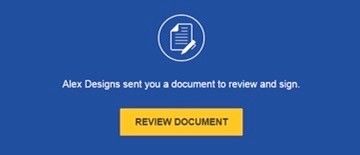
Open the email and review the message from the sender.
Select REVIEW DOCUMENT to begin the signing process.
Select REVIEW DOCUMENT to begin the signing process.
Agree to sign electronically: Review the consumer disclosure, and select the checkbox [I agree to use Electronic Records and Signatures].
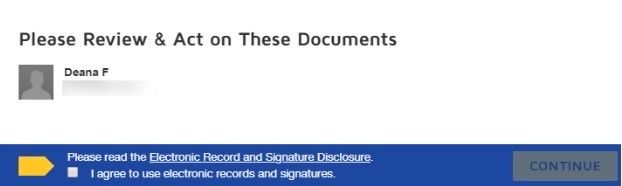
Select CONTINUE to begin the signing process.
Important! To view and sign the documents, you must agree to conduct business electronically. Note: To view additional options, click OTHER ACTIONS. For more information of other actions available, review our Signing Documentation.
STEP 2: Start the signing process
Review the documents by scrolling or using the page thumbnails in the right-hand navigation pane.
When you're ready to sign, select the START tag on the left to begin. You are taken to the first tag requiring your action. Select the SIGN tag.

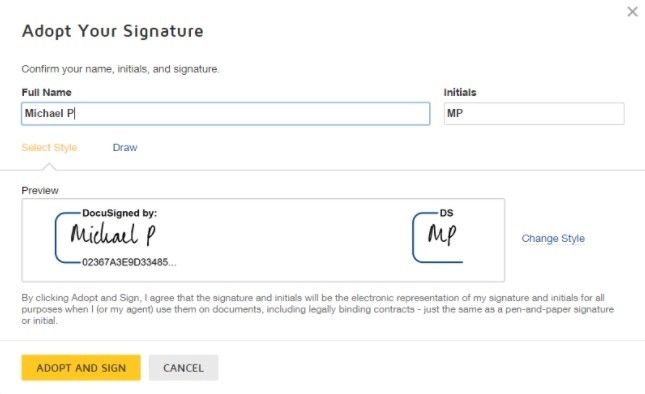
You are asked to Adopt Your Signature.
Verify that your name and initials are correct. If not, change them as needed.
Select ADOPT AND SIGN to adopt and save your signature information and return to the document.
STEP 3: Confirm signing
When you're ready to sign, select the START tag on the left to begin. You are taken to the first tag requiring your action. Select the SIGN tag.
You are asked to Adopt Your Signature.
Verify that your name and initials are correct. If not, change them as needed.
Select ADOPT AND SIGN to adopt and save your signature information and return to the document.
STEP 3: Confirm signing
When you finish clicking all signature tags in the document, confirm signing by selecting
FINISH.
A message appears stating that you have completed your document. You can now download a PDF copy or print a copy of the document. The sender receives an email with the signed document attached, and the signed document appears in their DocuSign account.
We will automatically be notified of completed signing when all people have signed their documents.


 We use